Case Study · 02
DocLocker
A privacy-first cloud document vault — store, manage, and share files securely with multi-factor authentication, Cloudinary storage, and granular access control. Now being extended with an AI-powered document intelligence layer.
01 — Problem
Why Does This
Need to Exist?
People store sensitive documents — IDs, certificates, contracts — in random places: Gmail, WhatsApp, phone storage. These have no real access control, no encryption at upload, and no way to revoke access. When a device is lost or an account is compromised, everything is exposed. And even when documents are stored safely, actually finding an answer buried inside a long contract or report means manually re-reading the whole thing.
DocLocker is built for people who need a private, secure vault for their important documents — with proper authentication, granular control over who sees what, and (in progress) the ability to ask a document a question instead of reading it end to end.
📤
Insecure Storage
Most people store documents in chat apps or email — no encryption, no access control.
🔑
Single Factor Only
A compromised password = all documents exposed. No secondary verification layer.
👁️
No Visibility
No audit log of who accessed what, and no way to revoke access once shared.
📄
Content Left Unread
Long contracts and reports sit unread — no quick way to summarize or query what's actually inside them.
02 — System Architecture
How It's
Architected
DocLocker's core is a Next.js 15 frontend and API layer with MongoDB as the primary database and Cloudinary for binary file storage. Account verification uses a custom OTP system with a MongoDB TTL index — codes expire automatically after 5 minutes. JWT tokens with HTTP-only cookies secure all sessions. An AI document-intelligence layer is being added directly into this same Next.js app — no separate microservice or second language — alongside an isolated PostgreSQL + pgvector store used purely for embeddings.
Next.js Frontend
React 19 · Tailwind CSS · Heroicons
↓
Auth Layer
JWT · bcryptjs · HTTP-only Cookies
OTP Verification
Custom OTP · MongoDB TTL Index · 5 min expiry
↓
Next.js API Routes
Zod Validation · Mongoose ODM
↓
MongoDB
User data · Metadata · Permissions
Cloudinary
Binary files · Secure URLs · Transforms
↓
AI Layer In Progress
pdf-parse · OpenAI / Claude SDK · WebSocket push
Vector Store Planned
PostgreSQL + pgvector · isolated, embeddings-only
Files are never stored in MongoDB. Only metadata and Cloudinary secure URLs are persisted. Cloudinary signed URLs with expiry are used for file delivery — direct access without a valid session returns nothing. The Postgres/pgvector instance is intentionally kept separate from MongoDB — it exists solely for document embeddings and doesn't touch the existing data model.
03 — Database Design
Data
Schema
DocLocker uses 7 MongoDB collections, each with a precise responsibility. The design handles nested folder hierarchies via a self-referencing Folder model, OTP-based verification with an automatic TTL index that expires codes after 5 minutes, and a RecycleBin that soft-deletes documents before permanent removal. The Document model now also carries a lightweight AI job-tracking field.
Collection Overview — 7 Models + Isolated Vector Store
User
Document
Folder (self-ref)
ShareLink
Otp TTL
RecycleBin
ActivityLog
embeddings (Postgres, planned)
User
_idObjectId
usernameString · required
emailString · unique
passwordHashString · required
verifiedBoolean · false
createdAt / updatedAtDate
Document updated
nameString · required
fileUrlString · required
sizeNumber
typepdf | image | docx…
folderId→ Folder (nullable)
userId→ User · required
statusactive | deleted
summaryStatusnone|queued|processing|done|failed
summaryString (cached)
summaryGeneratedAtDate?
Folder (self-referencing)
nameString · required
userId→ User · required
parentFolderId→ Folder · null=root
statusactive | deleted
null parentId = root folder
Otp TTL 5 min
userId→ User · required
codeString · required
typeregister | login | reset
createdAtDate · default now
index expireAfterSeconds: 300
ShareLink
docId→ Document · required
userId→ User · required
urlString · required
expiresAtDate (optional)
oneTimeBoolean · false
createdAtDate
RecycleBin
docId→ Document · required
userId→ User · required
deletedAtDate · default now
soft-delete before permanent removal
ActivityLog
userId→ User · required
activityTypeupload | delete | login
| share | download
targetIdObjectId (doc or folder)
createdAtDate
embeddings Postgres · planned
idserial PK
document_idtext (Mongo ObjectId ref)
chunk_texttext
embeddingvector(1536)
queried via pg / Prisma for similarity search
Key Design Decisions
→ OTP TTL index — OtpSchema.index({ createdAt: 1 }, { expireAfterSeconds: 300 }) tells MongoDB to automatically delete OTP documents 5 minutes after creation. No cron job, no manual cleanup — the database does it natively.
→ Self-referencing Folder — parentFolderId: null marks a root folder. Any folder pointing to another folder's _id becomes a subfolder, enabling infinite nesting with a single model and no depth limit.
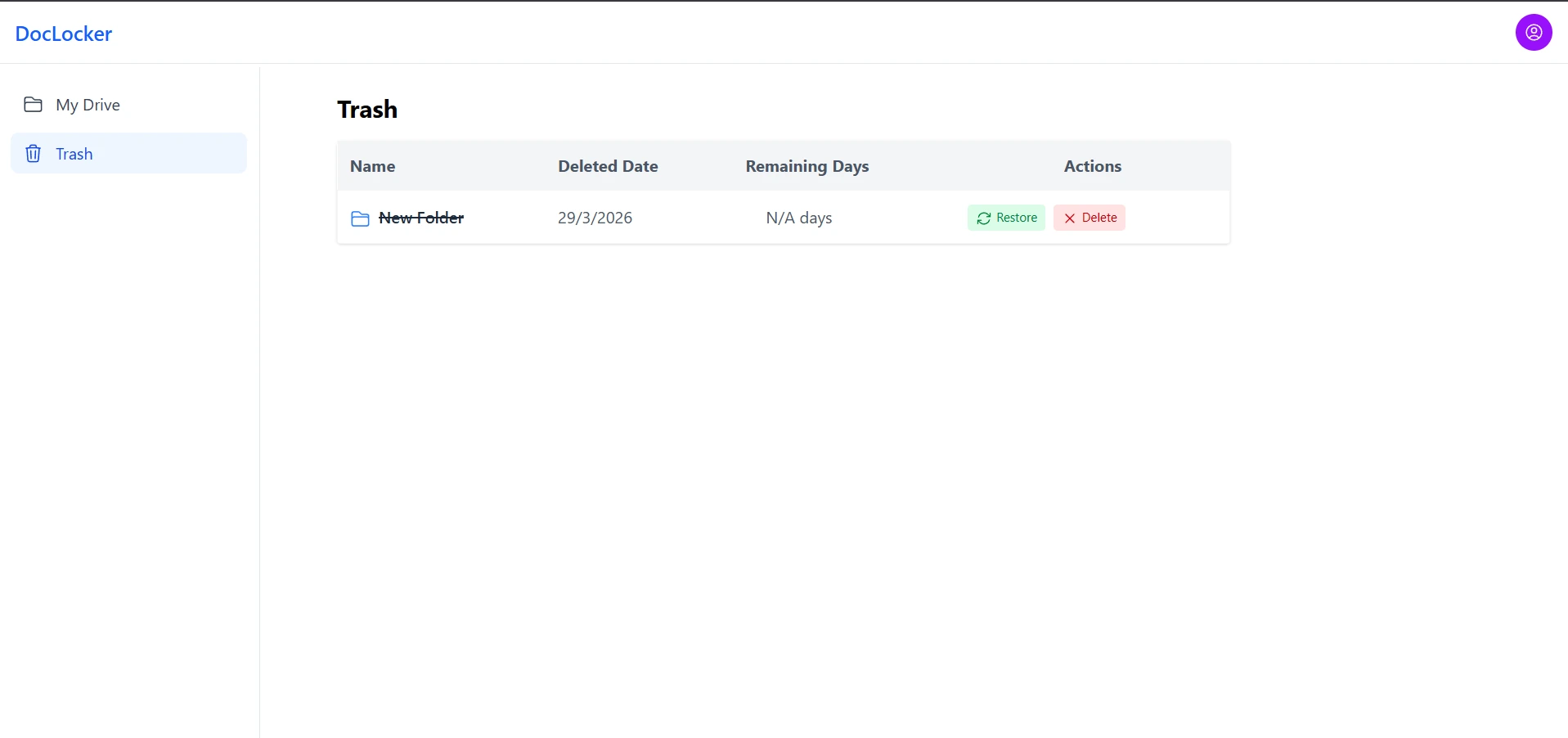
→ Soft delete with RecycleBin — Documents are not instantly destroyed. Setting status: "deleted" on the Document + creating a RecycleBin entry gives users a recovery window before permanent deletion.
→ ActivityLog for audit trail — Every upload, delete, share, login, and download is logged with the user and target ID. This gives the system a full security audit trail — essential for a document vault.
→ oneTime ShareLink — The oneTime: true flag allows generating burn-after-read share links. Once accessed, the link is invalidated — no re-use possible.
→ summaryStatus over a job queue — A single enum field on the existing Document model (none → queued → processing → done | failed) is the entire job-tracking mechanism for AI summarization — no separate queue service needed at this scale.
→ pgvector kept isolated — Rather than migrating away from MongoDB, a dedicated Postgres instance stores embeddings only, referencing documents by their existing Mongo _id. This avoids duplicating auth/storage systems (no Supabase) while adding real vector-search experience.
04 — Features
What DocLocker
Does
🔐
OTP-Based Account Verification
Every new account must verify via OTP before accessing the vault. OTP codes are stored in MongoDB with a native TTL index — they auto-expire after 5 minutes with zero application-level cleanup needed.
☁️
Cloudinary Secure File Storage
Files are uploaded directly to Cloudinary. Signed, expiring URLs are generated per-request so no file is directly accessible without an active session.
🔗
Controlled Sharing with Expiry
Share a document via a tokenized link with optional email restriction, view count limit, and auto-expiry. Revoke access at any time by invalidating the ShareLink token.
📁
Document Management Dashboard
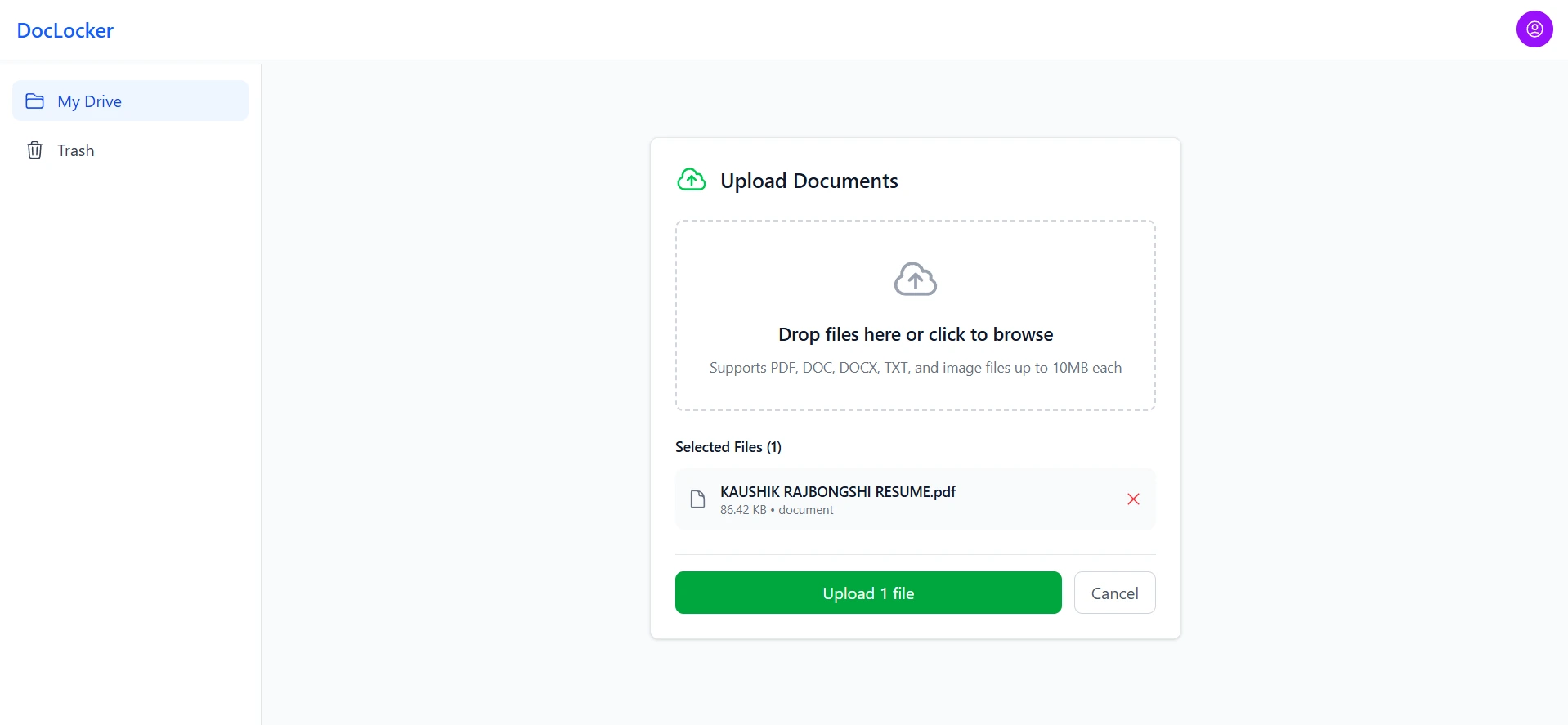
Upload, preview, rename, and delete documents from a clean dashboard. Documents show upload date, file type, size, and current privacy status at a glance.
✅
Zod Schema Validation
Every API input is validated with Zod before hitting the database. Invalid payloads return structured error messages — no raw database errors are ever exposed to the client.
🤖
AI Document Summarization In Progress
A "Summarize" button extracts a document's text and sends it to an LLM, returning a short summary plus key bullet points — cached on the document so it never regenerates unnecessarily.
05 — Screenshots
UI Walkthrough
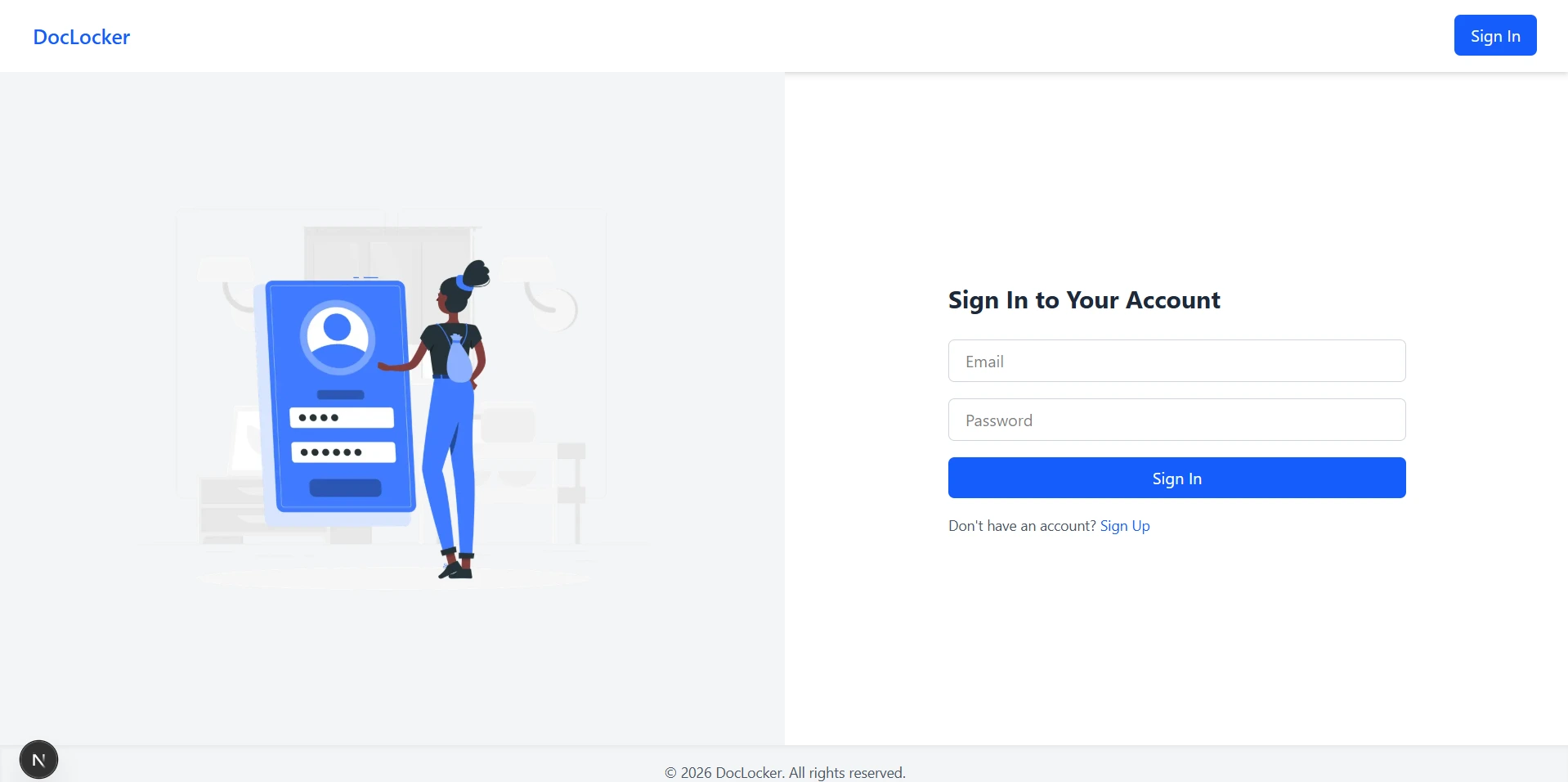
Login with MFA prompt after password
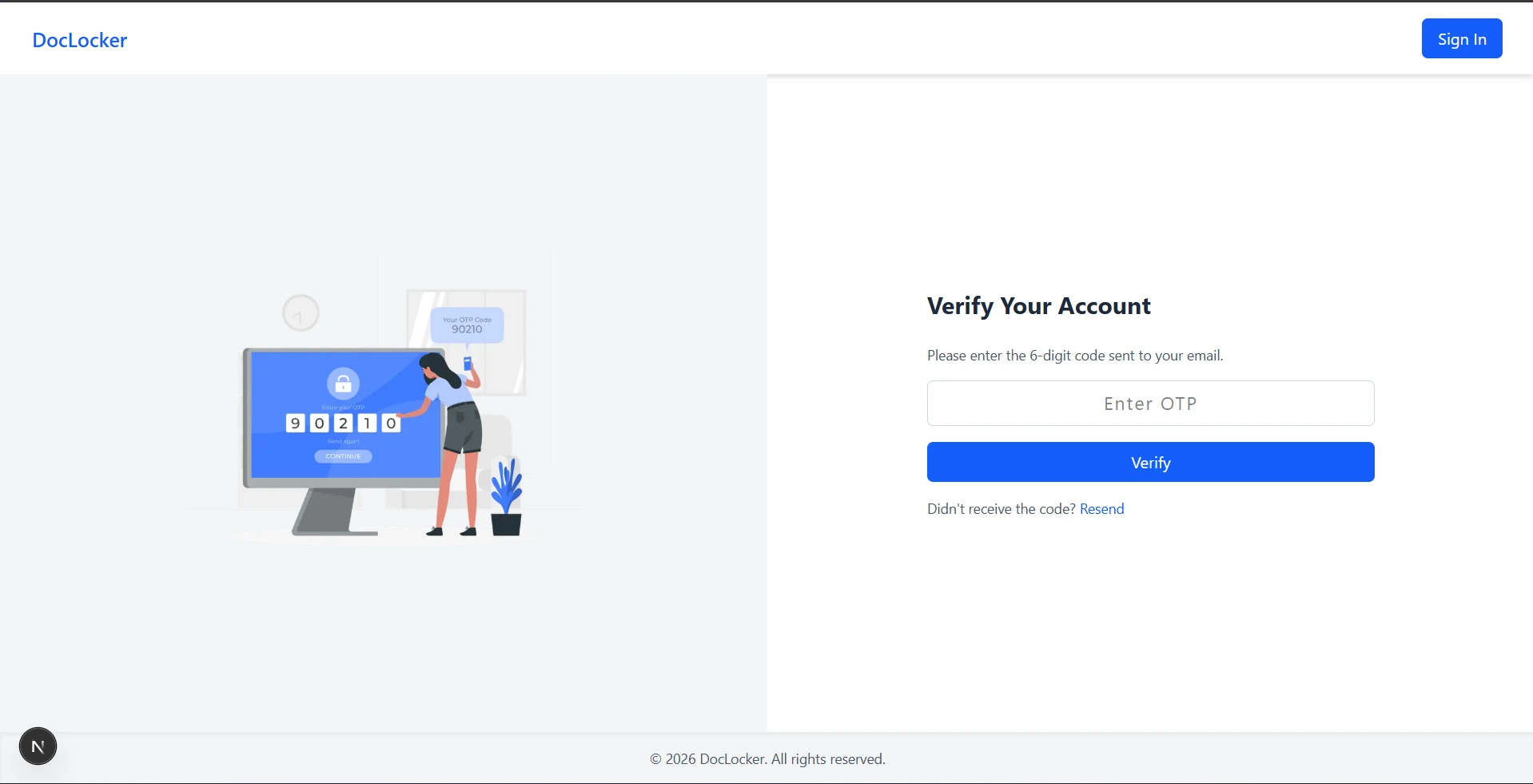
Verify OTP after vaild credential
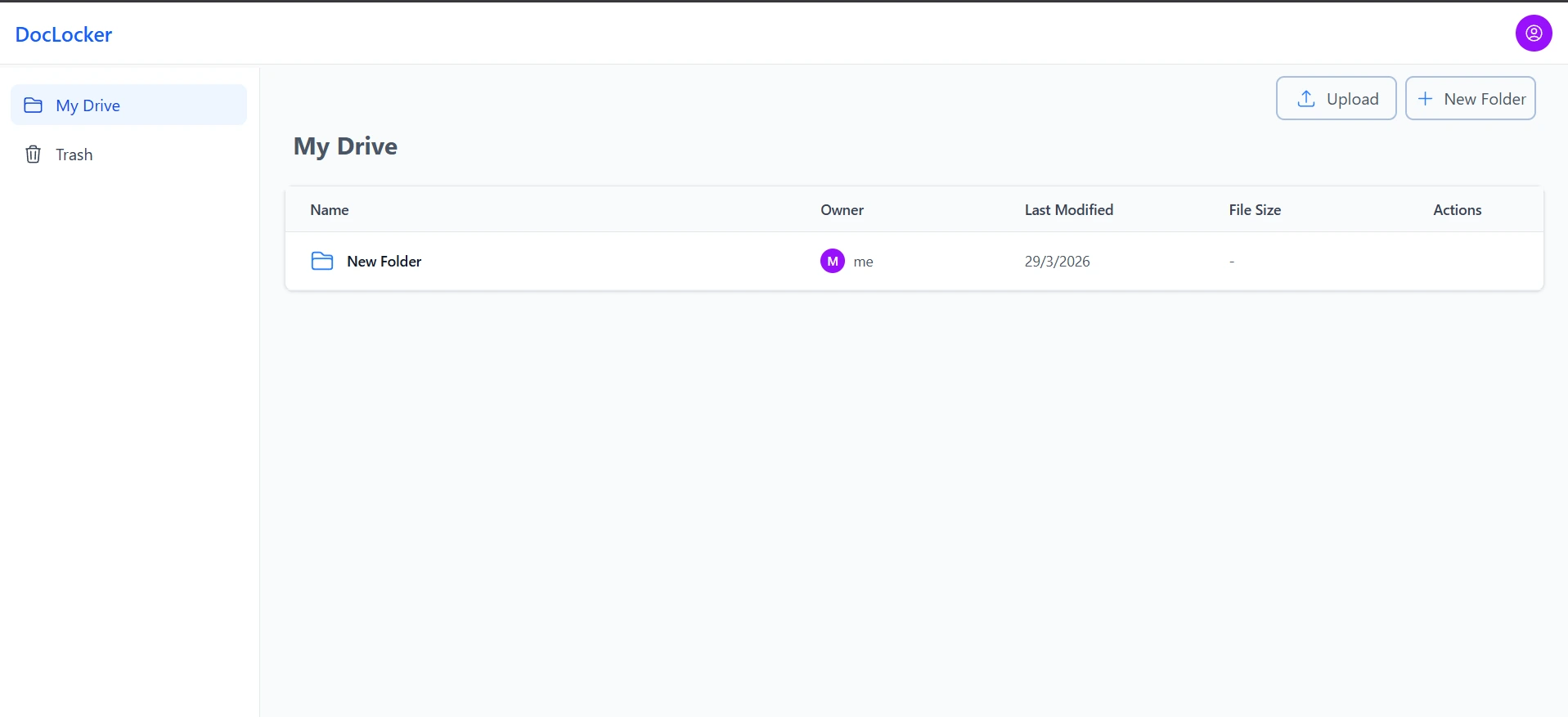
Document grid view with file cards
06 — Challenges
Hard Problems
I Solved
Secure File Delivery Without Exposing Cloudinary URLs
Cloudinary public URLs are permanent by default. I implemented signed URL generation server-side with a short expiry window (5 minutes) and tied to the user's session. File requests go through an API route that validates the session, then returns a fresh signed URL — so raw Cloudinary links are never stored client-side or exposed in responses.
OTP Verification Without a Third-Party Service
Instead of relying on Firebase or a paid SMS/email API for OTP, I built the entire flow in-house using MongoDB's native TTL index. The challenge was ensuring codes expire reliably and can't be reused. The solution: OtpSchema.index({ createdAt: 1 }, { expireAfterSeconds: 300 }) lets MongoDB's background thread delete expired OTPs automatically. The verified: false flag on User means even if someone skips OTP, they simply cannot access the vault.
ShareLink Token Security
Share links need to be unguessable, expirable, and revocable. I generated tokens using crypto.randomBytes(32).toString('hex'), stored the hash (not the raw token) in MongoDB, and added view-count enforcement and email restrictions at the API level. Expired or revoked links return 410 Gone, not 404, to distinguish intentional revocation from invalid paths.
Running AI Work Without Blocking the Response
Summarization involves downloading a file, extracting text, and calling an LLM — too slow to do inline. The API route flips the document to summaryStatus: "processing" immediately and does the actual work after responding. Deploying as a persistent Node server (Railway/Render) rather than on Vercel's serverless functions means this background work isn't at risk of being killed mid-request.
07 — What I Learned
Key
Takeaways
☁️
Cloud Storage Patterns
Never trust the client with raw storage URLs. Always proxy through your own API with auth checks.
🔑
Multi-Factor Flows
Chaining two auth systems requires careful state management — a pre-auth token pattern keeps things safe without race conditions.
🍪
Cookie Security
HTTP-only, SameSite=Strict, Secure flags together make session cookies nearly immune to common web attacks.
🔗
Token Design
Storing hash of share tokens (not raw value) means a DB breach doesn't expose valid share links.
08 — What's Next
AI-Augmented
Roadmap
DocLocker is actively being extended with document intelligence features — built directly into the existing Next.js app rather than as a separate service, keeping the whole stack in one language.
Document Summarization In Progress
A proof-of-concept API route already accepts a file URL, extracts text with pdf-parse, and calls the OpenAI API to return a summary plus key points. Next step: wire it into the real Document model and a live "Summarize" button in the dashboard.
Real-Time Push via WebSocket Planned
Once a summary finishes generating, a summary:ready event will push straight to the user's connected socket — instantly flipping the UI from "generating" to the finished result, with no polling.
RAG Question-Answering with pgvector Planned
Document text will be chunked and embedded, with vectors stored in an isolated PostgreSQL + pgvector instance — kept separate from MongoDB — enabling users to ask free-text questions grounded only in their own document's content.
Docker, CI/CD & Live Deployment Planned
The app and Postgres instance will be containerized with Docker Compose, tested via GitHub Actions, and deployed as a persistent Node server on Railway or Render — chosen over Vercel specifically because WebSocket needs a long-lived connection serverless functions can't provide.